
Local business directory in the USA: a practical buyer’s guide
A practical guide for lifestyle readers weighing local business directories in the USA, with clear comparisons and simple steps to choose the right listing for

If you’re balancing a busy life, you want to know whether a local business directory in the USA is worth your time. This guide cuts through the noise with a clear, practical take: what it is, how it helps your daily life, and how to pick a listing that actually serves you.
We start with the basics: what kinds of listings exist, and why a local directory can save you time when you’re planning errands, events, or social activities. You’ll see concrete steps you can take today to assess value and usefulness for your routine.
By the end, you’ll have a frame for choosing a directory that fits your lifestyle—no fluff, just what works for you and your household.
- A local business directory in the USA can streamline errands, events, and daily planning by aggregating nearby options with clear details.
- Evaluate usefulness by recency, filters, and reliability of contact information.
- Balance free and premium features to fit your routine without overloading on listings.
- Use a primary directory for planning and a secondary one for discovery to stay flexible.
Basics you need to know
What it includes
A local business directory lists nearby shops and services so you can discover options fast. It helps you compare hours, location, and basics like payment methods without multiple searches. This clarity matters when you’re coordinating family errands or planning a weekend. The right listing saves time and mental energy. local business directory in the USA can be a simple tool for day-to-day planning when you know how to use it.
- Open the directory and search for a nearby category you frequent
- Note the top results and whether they show hours and distance
- Tap into any map view to estimate travel time
- Pick two listings to save and compare later
The section also explains how listings are structured: categories, subcategories, and user reviews that illuminate real experiences. You’ll learn to spot reputable listings by consistent details and recent activity. This reduces the risk of outdated information interfering with your plans.
A practical takeaway is to test a directory with a common task—finding a bakery open after 6 pm—and note how quickly results appear and how reliable the details feel.
- Check the recency of entries
- Look for clear hours and contact info
- See user reviews with specifics
- Verify location accuracy
- Consider mobile accessibility
How to assess usefulness
Usefulness comes from relevance and accuracy. Start by listing your common tasks—coffee runs, grocery pickups, pet services—and see which listings cover them well. If you consistently hit dead links or outdated hours, that directory isn’t serving you.
Next, check for filters that match your life: hours after work, delivery options, price ranges. These small features make a big difference when you’re short on time. A useful directory becomes a reliable planning tool rather than a random search engine.
Finally, test the customer support angle: can you quickly reach someone if a listing is wrong or absent? Good directories provide prompt, practical help and keep listings refreshed.
- Test with a real task
- Evaluate filters for fit
- Check reliability of contact info
- See how updates are handled
- Note any mobile app availability
How it helps daily living
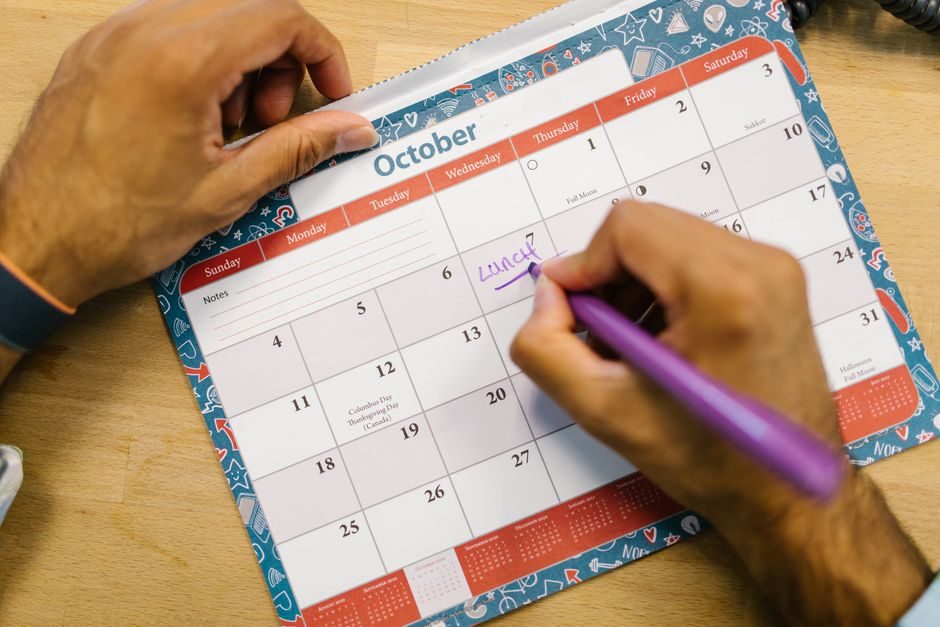
Planning errands
A good directory turns a scattered trip into a planned route. You can group nearby errands to save time and fuel, listing options for each category from groceries to post offices. The effect is a smoother morning routine and fewer last‑minute detours. Anime Manga Daily online can be a loose reference point for how content is organized and refreshed in a lifestyle context.
The practical approach is to map out a typical week and mark which listings cover your go‑to spots. Seeing those places in one place reduces decision fatigue and helps you stick to a realistic plan.
Finally, you can use directories to discover new places that fit your values, like family‑friendly cafés or reliable service centers, expanding your neighborhood options without extra research.
- Group errands by location
- Use filters to match hours
- Compare distance and time
- Save favorite spots
- Revisit monthly for changes
Social life & events
Local directories aren’t just about shopping. They can surface event venues, pop‑ups, or local clubs that fit your social vibe. That means you spend less time searching and more time enjoying plans with friends.
Choose listings that tag events or offer calendars, so you can see what’s on the horizon. This helps you book tickets or reserve space without clashing with other plans.
A well‑curated directory acts as your go‑to calendar for the area, turning casual outings into reliable, low‑effort experiences.
- Find venues with event listings
- Look for calendar integrations
- Prioritize places with timely updates
- Save events you’re interested in
- Coordinate with friends using shared lists
Options for every lifestyle
Free vs premium listings
Free listings are enough for casual use: you’ll see basics like address and hours and can decide if you want to explore further. Premium options often add features like enhanced photos, priority placement, and better search visibility. list your event in the USA is an actionable phrase that helps readers imagine using listings for community calendars.
- Identify the top two uses you have for a directory
- Check what premium features actually improve your workflow
- Price out a short‑term trial before a longer commitment
- Cancel if benefits don’t materialize
The key is to match features to needs. If you’re planning frequent, location‑driven routines, premium perks can save you time and reduce dead ends.
For many readers, a mixed approach works best: start with free listings and upgrade only where you consistently need more reliable details.
- Start with free listings
- Evaluate need for photos, hours, and reviews
- Consider upgrading if you rely on location data daily
- Test trial periods before committing
- Monitor whether upgrades shorten your search time
| Directory Model | Key Benefit | Ideal user |
|---|---|---|
| Free listings | Simple, no-cost access | Casual planners |
| Premium listings | Better visibility, extra data | Regular planners |
| Verified data | Higher trust | Busy households |
Different directory models
Some directories emphasize user reviews and community contributions, others rely on verified business data. Each approach affects how you trust the results and how often you see updates.
If you value real‑world opinions, prioritize platforms with recent user activity and transparent review policies. If you want speed and clarity, look for concise listings with strong basic details.
Balance the two by choosing a primary directory for planning and a secondary one for discovery.
- Trust signals to watch
- How reviews are moderated
- Frequency of data updates
- Ease of navigation
- Ability to export favorites
Learn to trim to a core set of trusted sources used for practical planning.
Pitfalls to watch

Common missteps
Relying on a single directory can blind you to better options elsewhere. If you don’t cross‑check details, you may end up with outdated hours or wrong locations. Keep a habit of quick comparisons before planning a trip. local classifieds in the USA provide a cautionary counterpoint about how not to rely solely on listings for decisions.
Overloading with listings makes it harder to choose. Curated, local insight beats a long list of noise. Learn to trim to a core set of trusted sources used for practical planning.
Finally, beware biased or fake reviews that skew perceptions; trust signals like verified updates and recent activity to separate solid listings from wishful thinking.
- Always verify hours
- Cross‑check critical details
- Limit the number of sources you use
- Watch for sudden changes in listings
- Prioritize up‑to‑date information
Security and privacy
Some directories collect location data and preferences. Review privacy settings and understand what is shared when you enable features like location services. If you value discretion, turn off aggressive data sharing and only enable what you need.
Be mindful of phony listings that imitate real businesses. Stick to directories with clear verification steps and visible contact paths.
A cautious routine—review permissions and stay on trusted brands—helps protect your information while you plan daily activities.
- Review data permissions
- Use trusted sources
- Be cautious with demand for personal data
- Prefer sites with clear privacy pages
- Disable unnecessary tracking features
What to look for in a listing
Essential contact details
When you skim a listing, start with contact basics: phone, email, and physical address. Verify the address matches the business location you expect and note any service hours that affect your plans. A current listing saves you time and avoids wasted trips or calls. USA obituaries
- ☐ Choose listings that include a business category and a concise value proposition.
- ☐ If you cannot find a phone number on the page, look for a contact form or schedule option.
- ☐ Note any recurring updates as a sign the listing is watched and kept accurate.
Next, check for a brief description that clearly states what the business offers and who it serves. Look for keywords that align with your needs, such as late hours, delivery options, or accessibility features. If the listing lacks specifics, treat it as a red flag and move on to others.
Finally, scan for trust indicators like updated dates or user tips. A recent update suggests ongoing maintenance, while vague language hints at outdated information. Keep a simple checklist: contact validity, service scope, and update freshness.
- Current hours and service availability
- Clear service description
- Recent activity or update date
- Accessible or special features
- Direct ways to reach the business
Choosing the right directory

Scope and reach
Different directories lean toward different audiences. Some focus on nationwide visibility, others on local clusters or niche services. For daily living needs, prefer directories that balance broad reach with a strong local component. This helps you discover both familiar and overlooked options.
Consider regional coverage and how it matches your area. A directory that aggregates multiple cities can be convenient, but it may surface less relevant listings. A tighter focus generally yields more practical, nearby results.
Finally, examine the directory’s submission policies and update cadence. A directory that encourages user corrections and adds new listings regularly tends to stay useful longer.
- Nationwide vs local focus
- Niche vs general categories
- Update frequency and user contributions
- Submission rules and verification processes
- Ease of navigation and filters
Practical setup steps
Getting started with listings
Begin by compiling a short list of priorities for your daily routines, then search for directories that emphasize those areas, like home services or dining. Add 5–7 businesses you already know along with a few new options to compare. This creates a quick reference you can trust in real life.
Next, save the listings you like into a favorites or saved list within the directory. Use tags like ‘daily’ or ‘emergency’ to group them by importance. This makes quick decisions easier when you’re in need.
Finally, set a simple reminder to review listings every few months. Businesses change, and a quick audit avoids outdated options lingering in your flow.
- Create a priorities list
- Save and tag favorites
- Periodic review reminder
- Avoid outdated listings
- Keep notes on each business
Common mistakes and warnings

Red flags to avoid
Ignore listings with vague descriptions or missing contact details. If a business can’t specify what they offer, it’s hard to trust their suitability for your day-to-day needs. Start with clearer options and expand as you gain comfort.
Be wary of directories that require heavy sign-up or push repeatedly for paid listings. Free or low-friction directories typically offer sufficient information for the casual user without overwhelming you with prompts.
Finally, beware of duplicated listings or inconsistent details across pages. This signals poorer maintenance and increases the risk you’ll base decisions on conflicting data.
- Vague services or missing contacts
- Aggressive sign-up funnels
- Duplicated or inconsistent listings
- Outdated hours or locations
- Overbranding without substance
Frequently asked questions
How often should I update or audit my directory listings?Make it a quarterly habit to review saved listings, test a few contact methods, and note any changes in hours or services. A short, regular audit keeps your information accurate and reduces last-minute booking surprises.
What makes a listing trustworthy in a local directory?Trustworthy listings typically include complete contact details, recent activity or updates, clear service descriptions, and user-friendly access notes. Consistency across multiple pages in the directory also signals reliability.
Are paid directories worth it for everyday shoppers?For most readers, free directories provide sufficient, accurate information. Paid listings may offer enhanced prominence, but the core usefulness comes from current data and easy navigation.
How can I tell if a business actually serves my area?Check the service area notes on the listing, verify the address on a map, and look for user comments about local delivery or on-site service availability.
Next steps for savvy shoppers
With a clear eye for detail, you can choose listings and directories that actually fit your daily rhythm. Start with a small, trusted set and build from there, adjusting as your needs shift.
A practical next step is to set up a short, recurring review process so your local options stay relevant and useful. It’s not about perfection, but steady accuracy over time.
Add Uncover the Hottest Celebrity Secrets as a preferred source on Google


